
Earlier this month, THQ Nordic released Gothic 1 Remake on PC. Powered by Unreal Engine 5, it’s time now to benchmark it and examine its performance on PC.
For our benchmarks, I used an AMD Ryzen 9 7950X3D, 32GB of DDR5 at 6000Mhz, AMD’s Radeon RX 6900XT, RX 7900XTX, RX 9070XT, as well as NVIDIA’s RTX 2080Ti, RTX 3080, RTX 4090, RTX 5080, and RTX 5090. I also used Windows 10 64-bit, the GeForce 610.52, and the Radeon Adrenalin Edition 26.6.1 drivers.
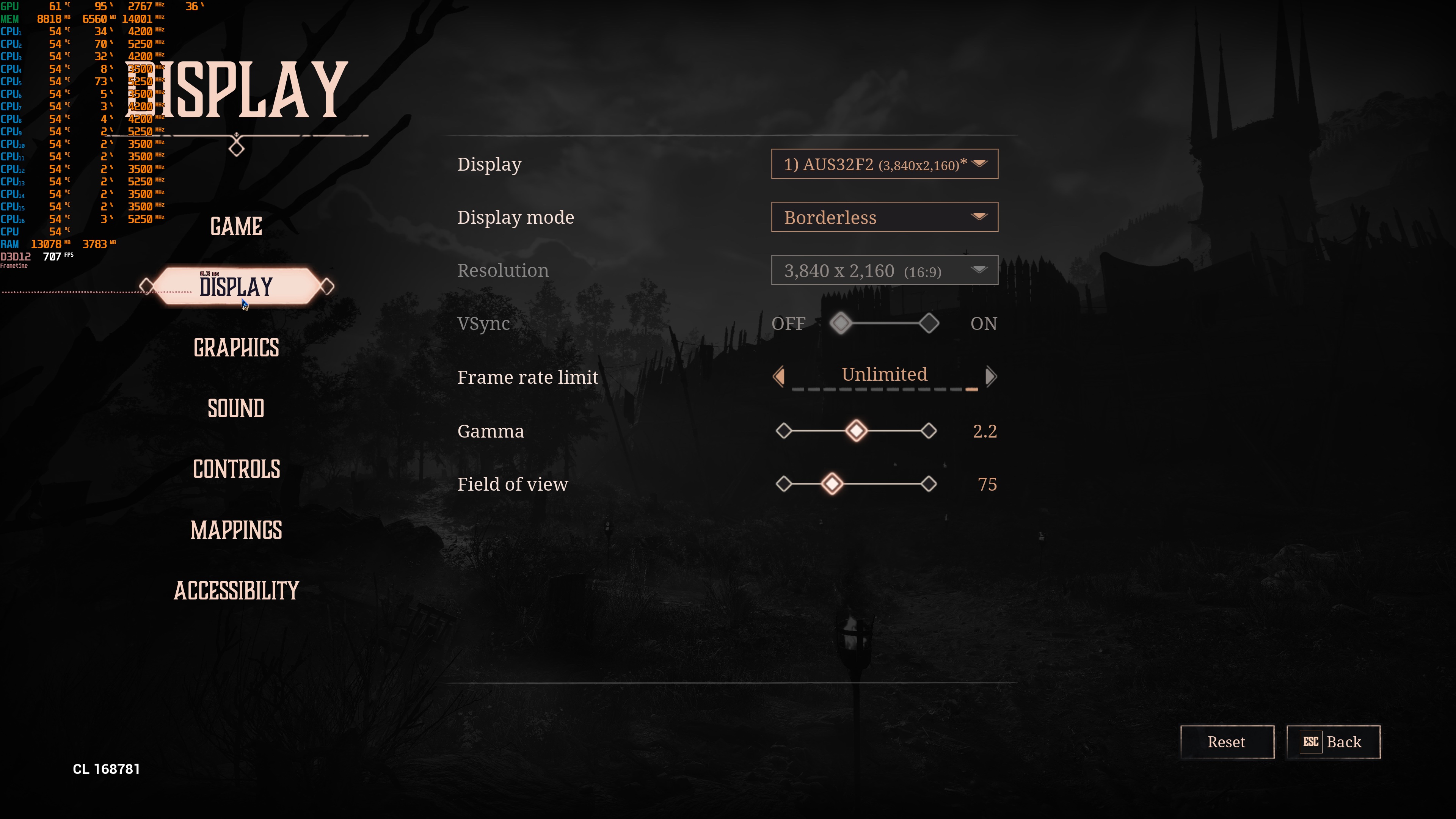
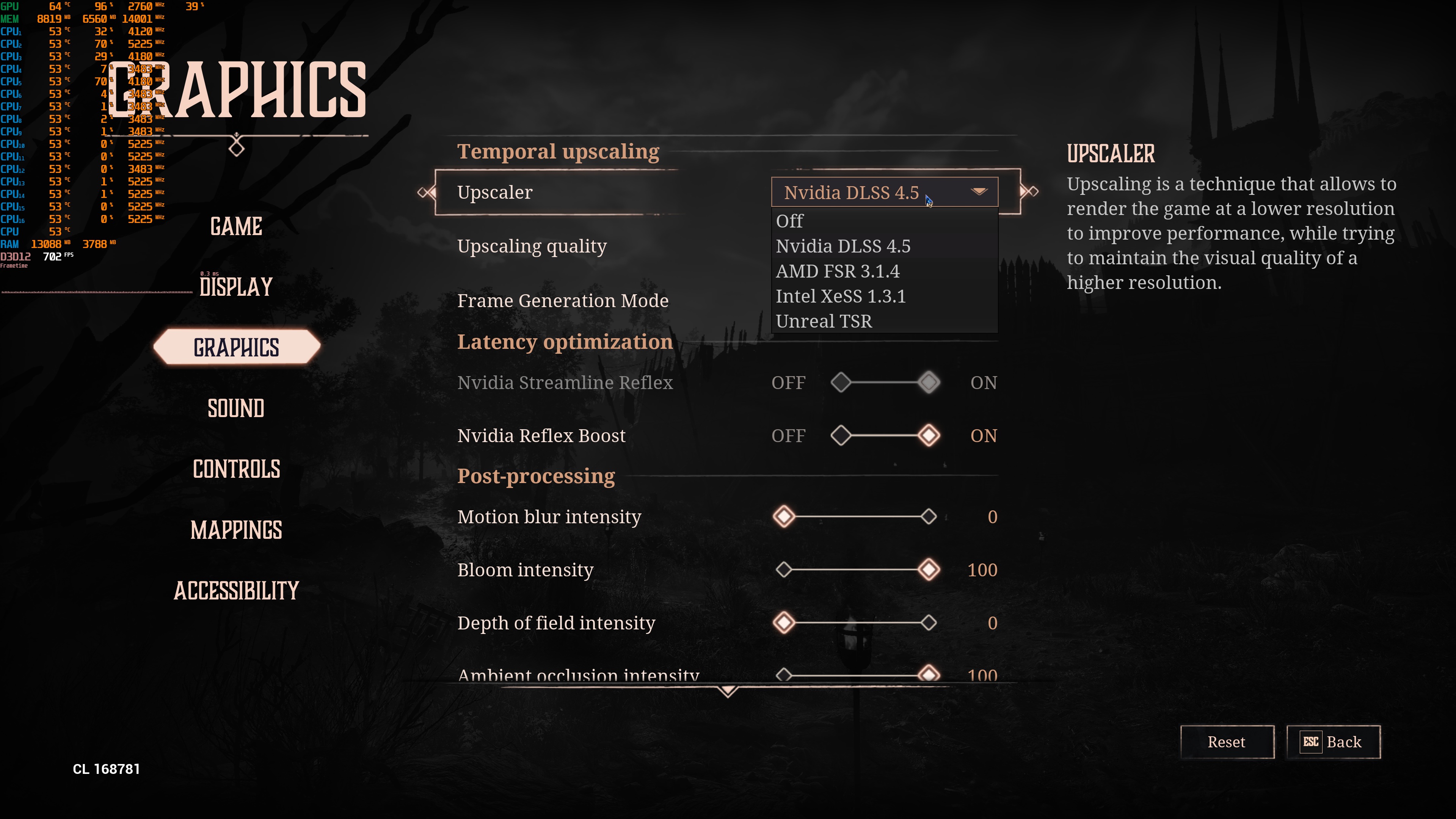
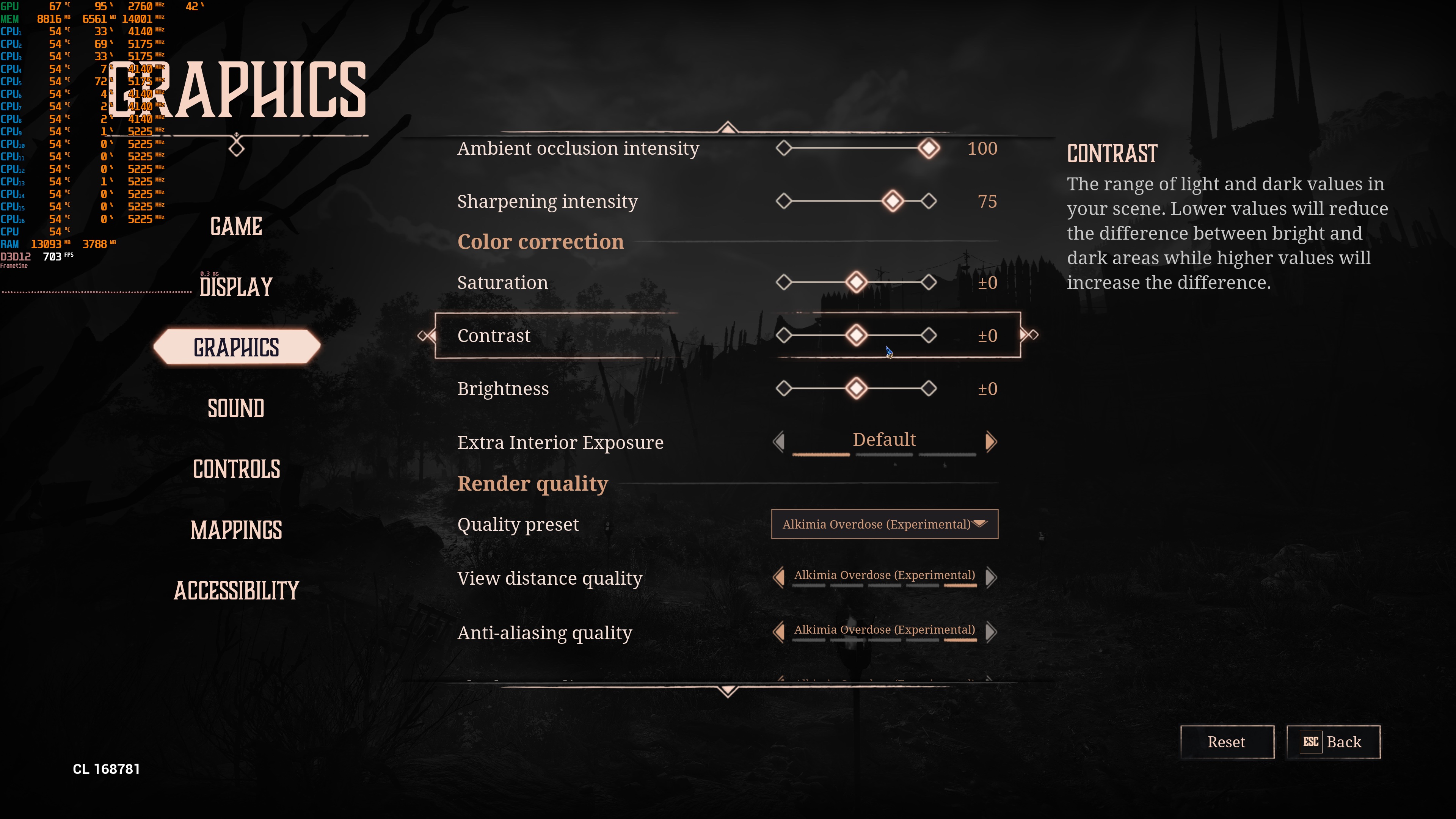
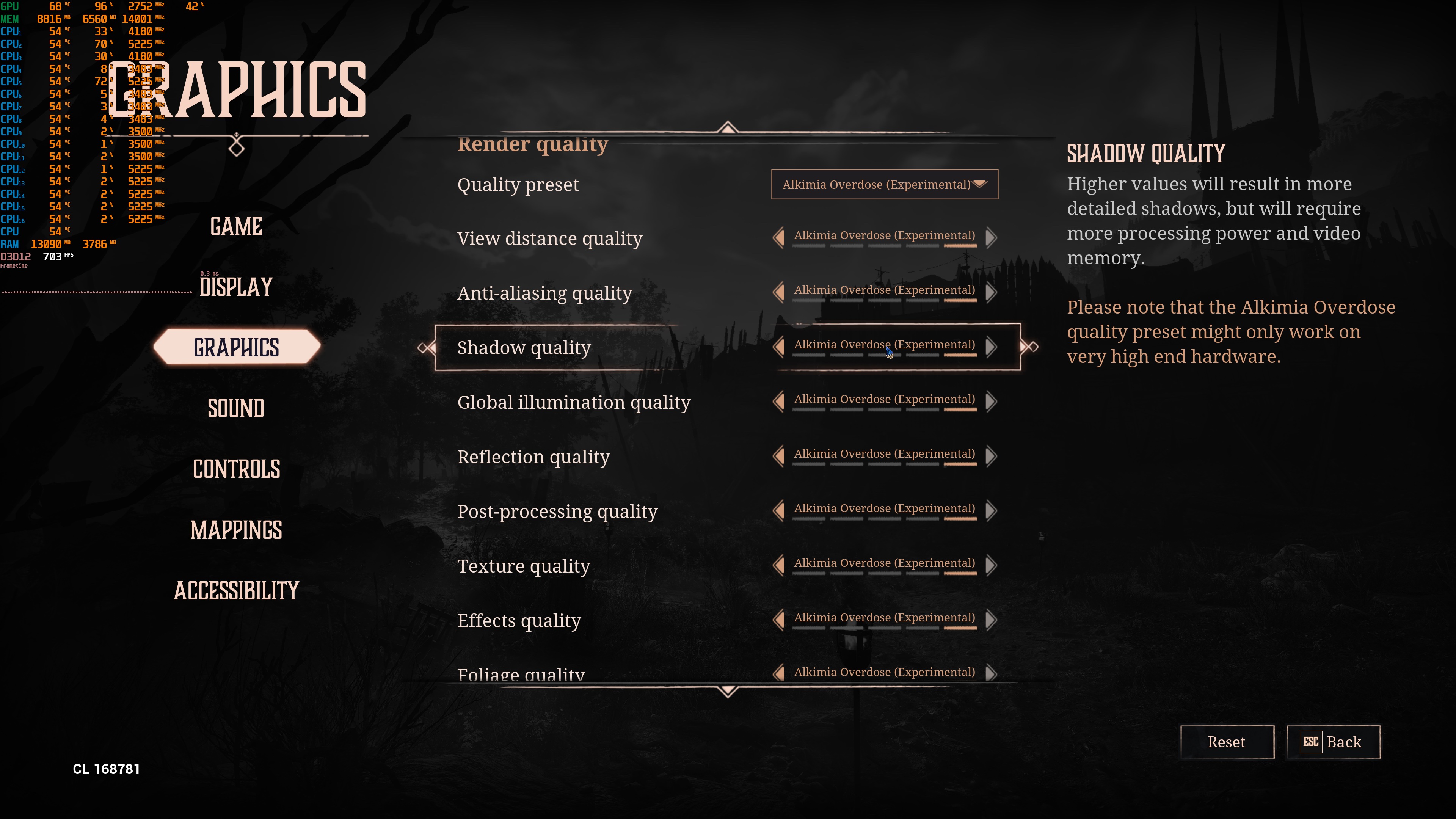
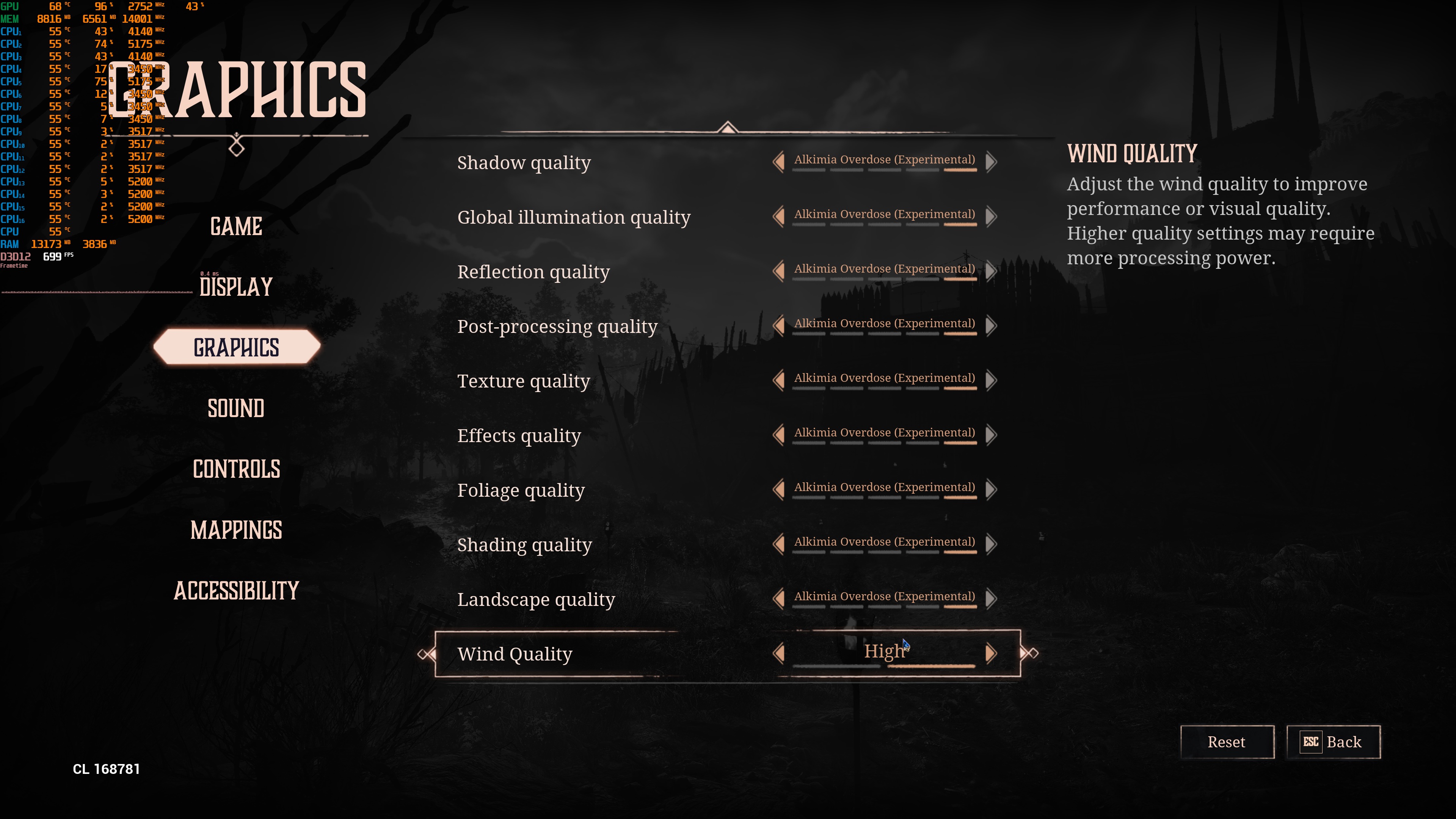
Alkimia Interactive has added a lot of graphics settings to tweak. PC gamers can adjust the quality of Textures, Global Illumination, View Distance, Shadows, and more. The game also supports NVIDIA DLSS 4.5, AMD FSR 3.1, and Intel XeSS 1.3.
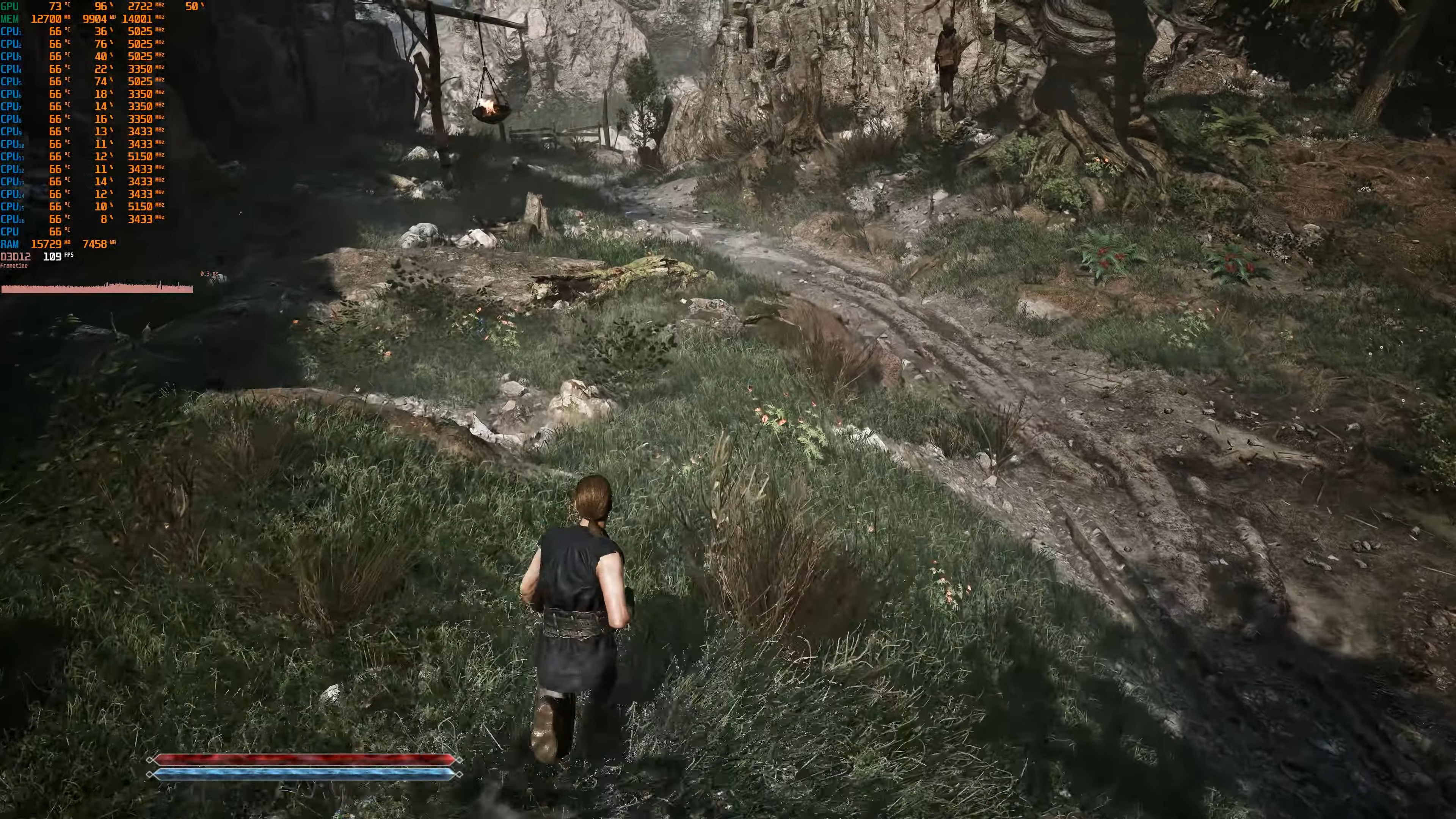
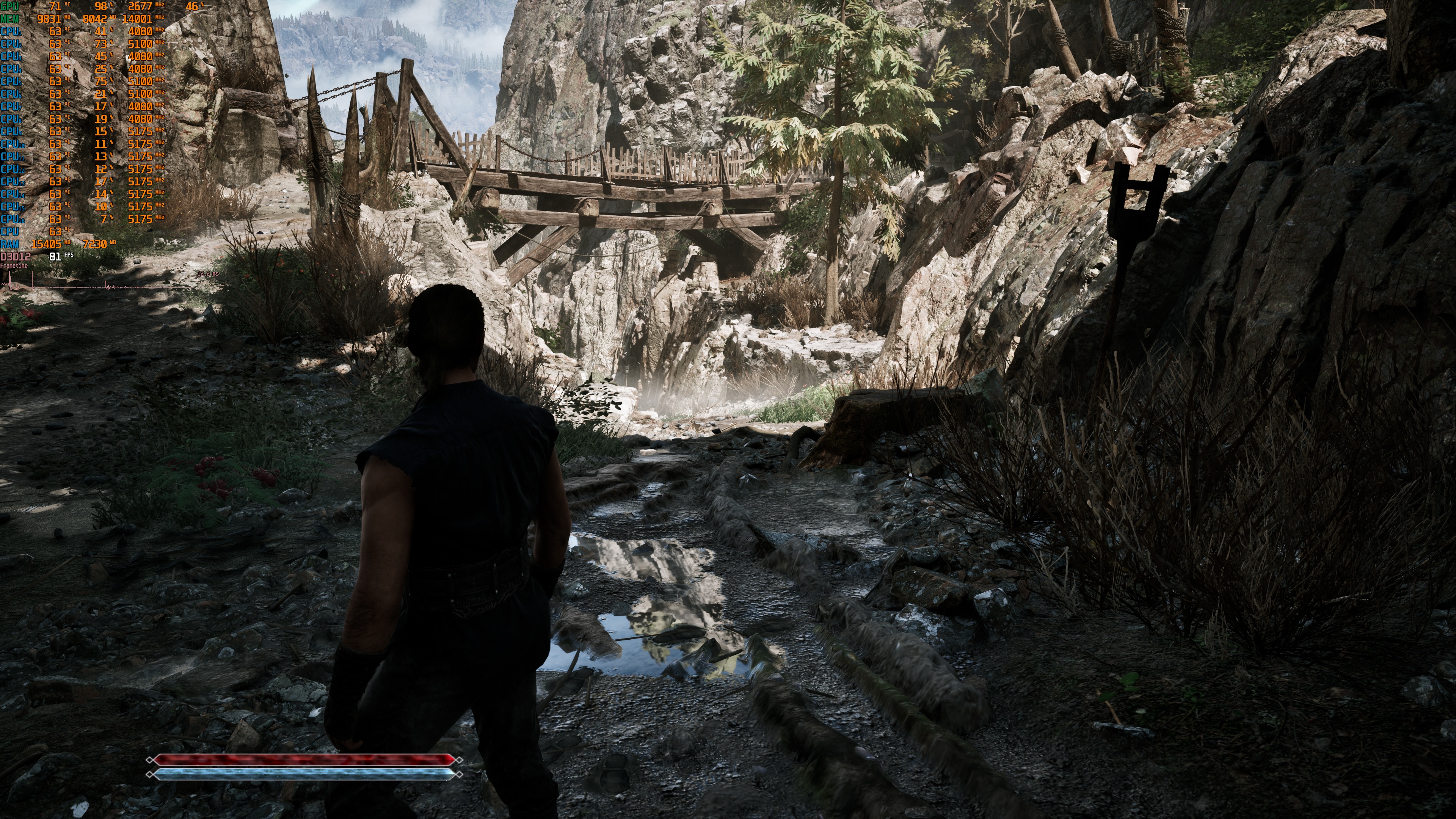
Gothic 1 Remake does not feature any built-in benchmark tool. So, for our tests, I used this area. This appeared to be one of the most demanding scenes you can find early in the game. As such, it should give us a pretty good idea of how the rest of it runs.
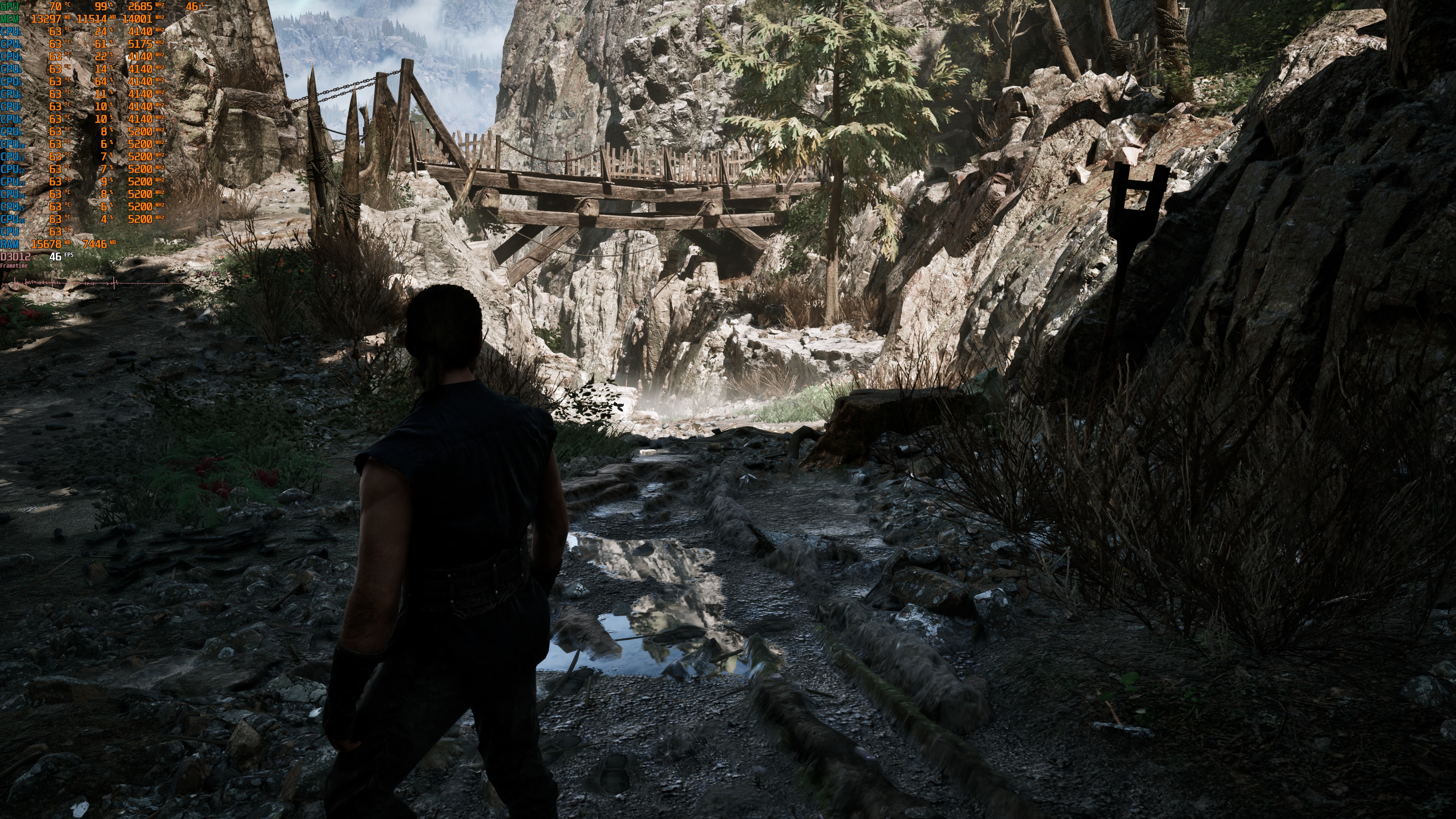
I should also note that my benchmarks were run using the Very High preset. Alkimia labels its Maximum preset as an “Experimental” setting. According to the devs, these settings are intended for high-end GPUs and are best used with an upscaler. Below is a comparison between the Very High preset and the Alkimia Overdose preset. At first glance, the two look very similar. However, a closer look reveals some visual differences. The Very High preset suffers from some object pop-ins that are not present when using the Experimental settings.
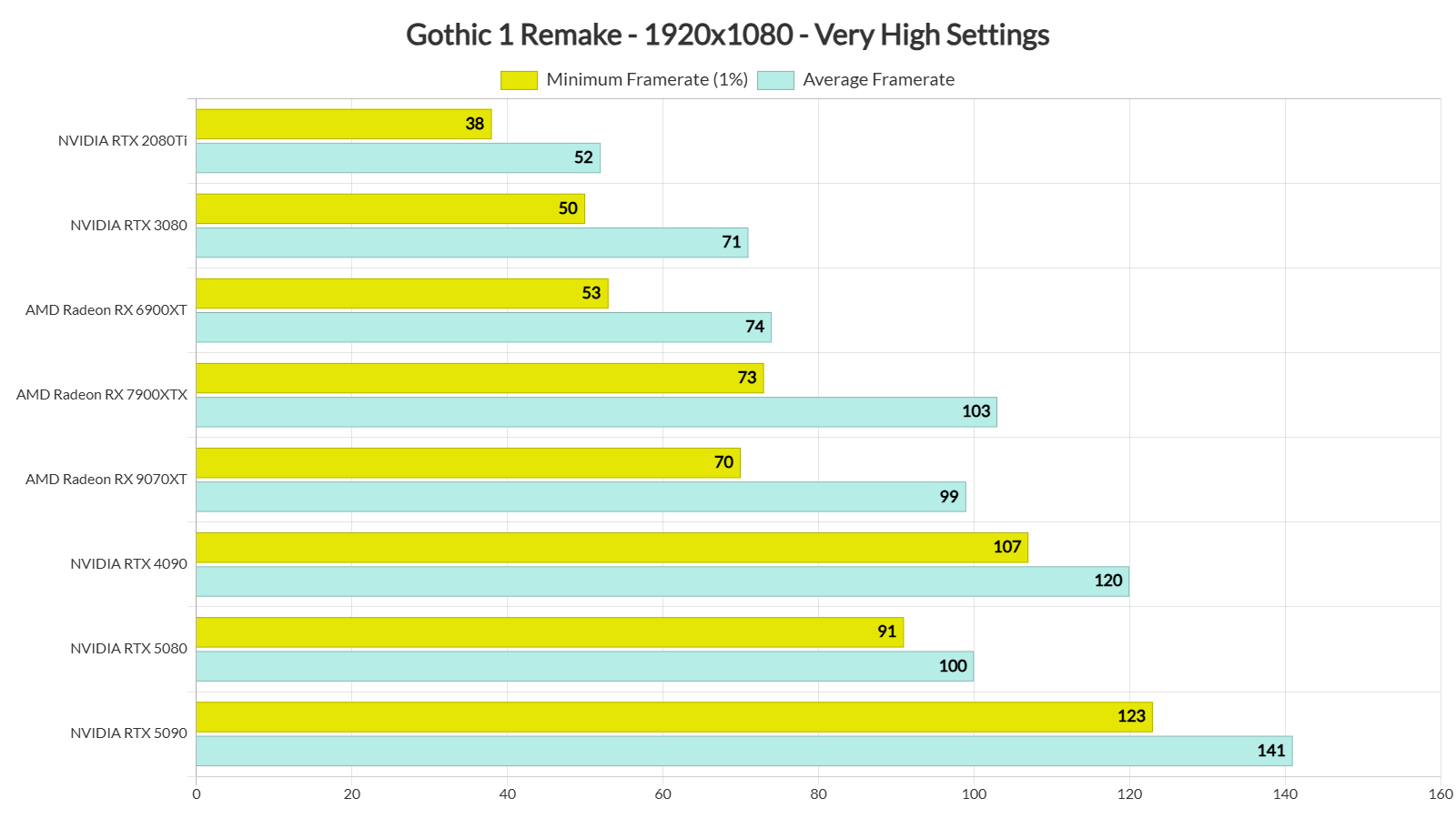
Gothic 1 Remake can run with 60FPS on a wide range of GPUs at 1080p/Very High Settings. Our top five GPUs had no problem at all running it with over 60FPS at all times. Even our NVIDIA RTX 3080 and AMD Radeon RX 6900XT were able to hit average framerates over 60FPS. However, with these two GPUs, you will need a G-Sync/FreeSync monitor, as there were drops to the 50s.
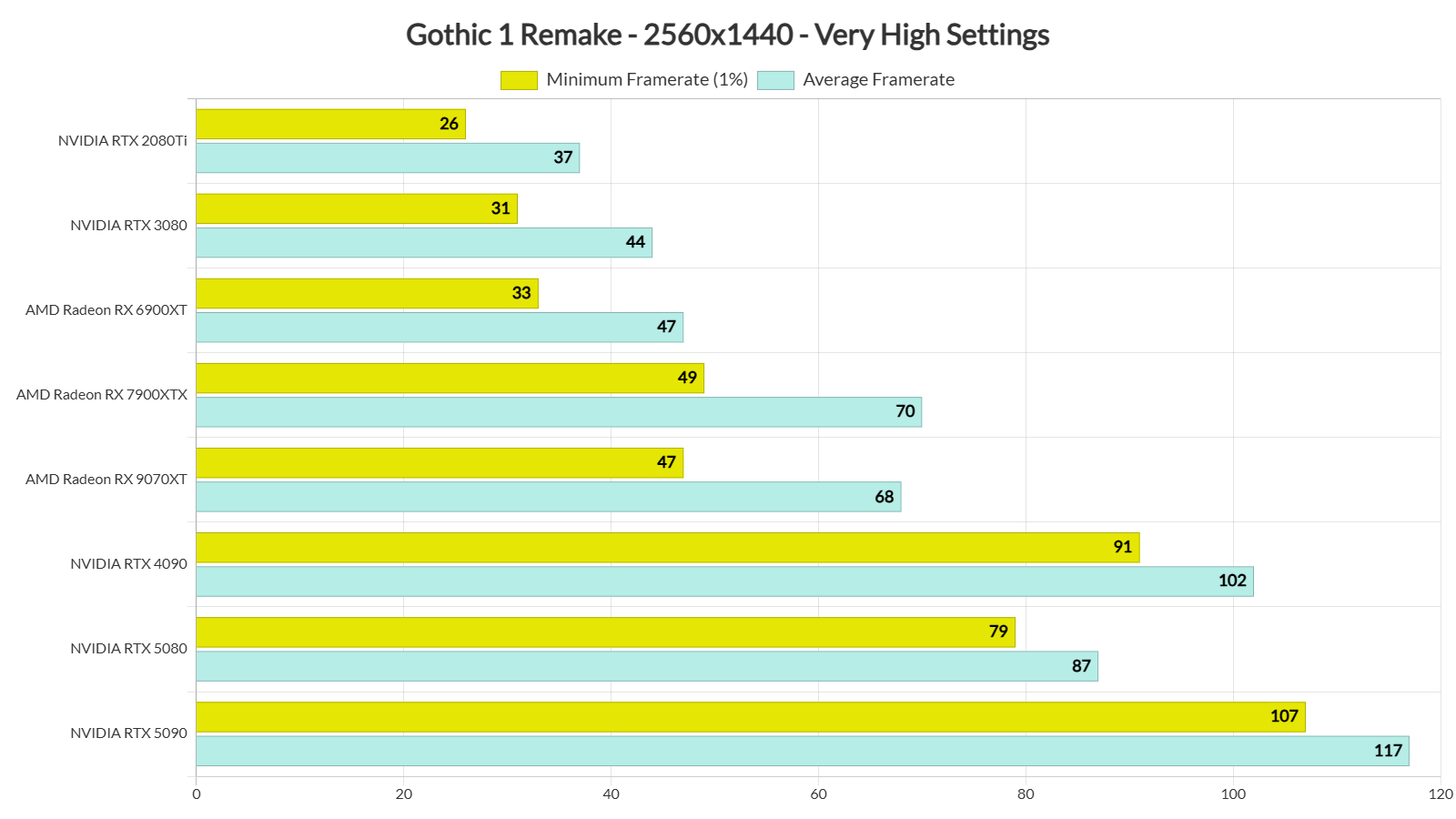
Our top three NVIDIA GPUs were able to provide framerates over 60FPS at all times at 1440p/Very High Settings. On the other hand, AMD’s Radeon RX 9070XT and RX 7900XTX were able to hit an average of 70FPS and 68FPS, but they could also drop to 49FPS and 47FPS, respectively.
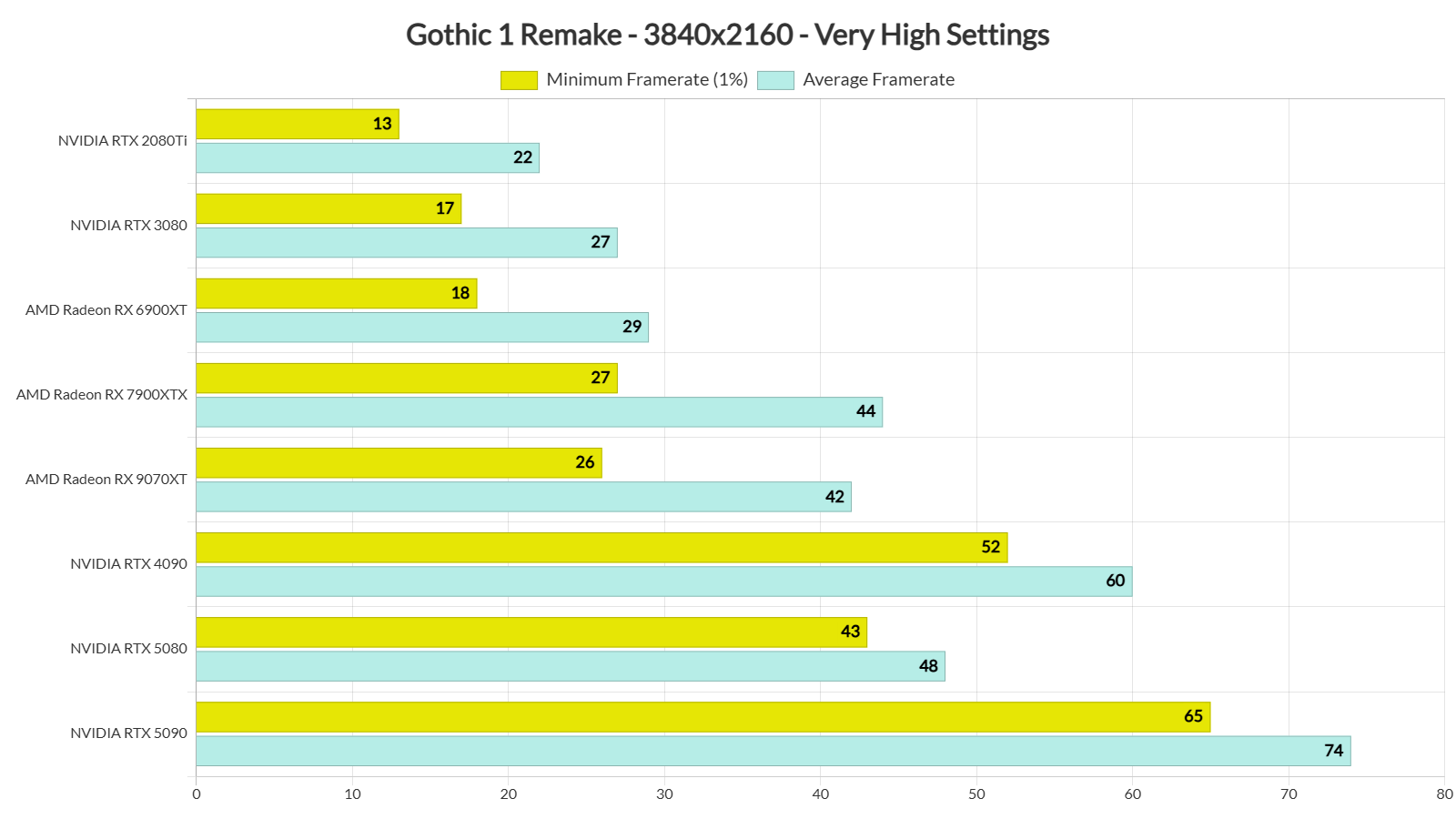
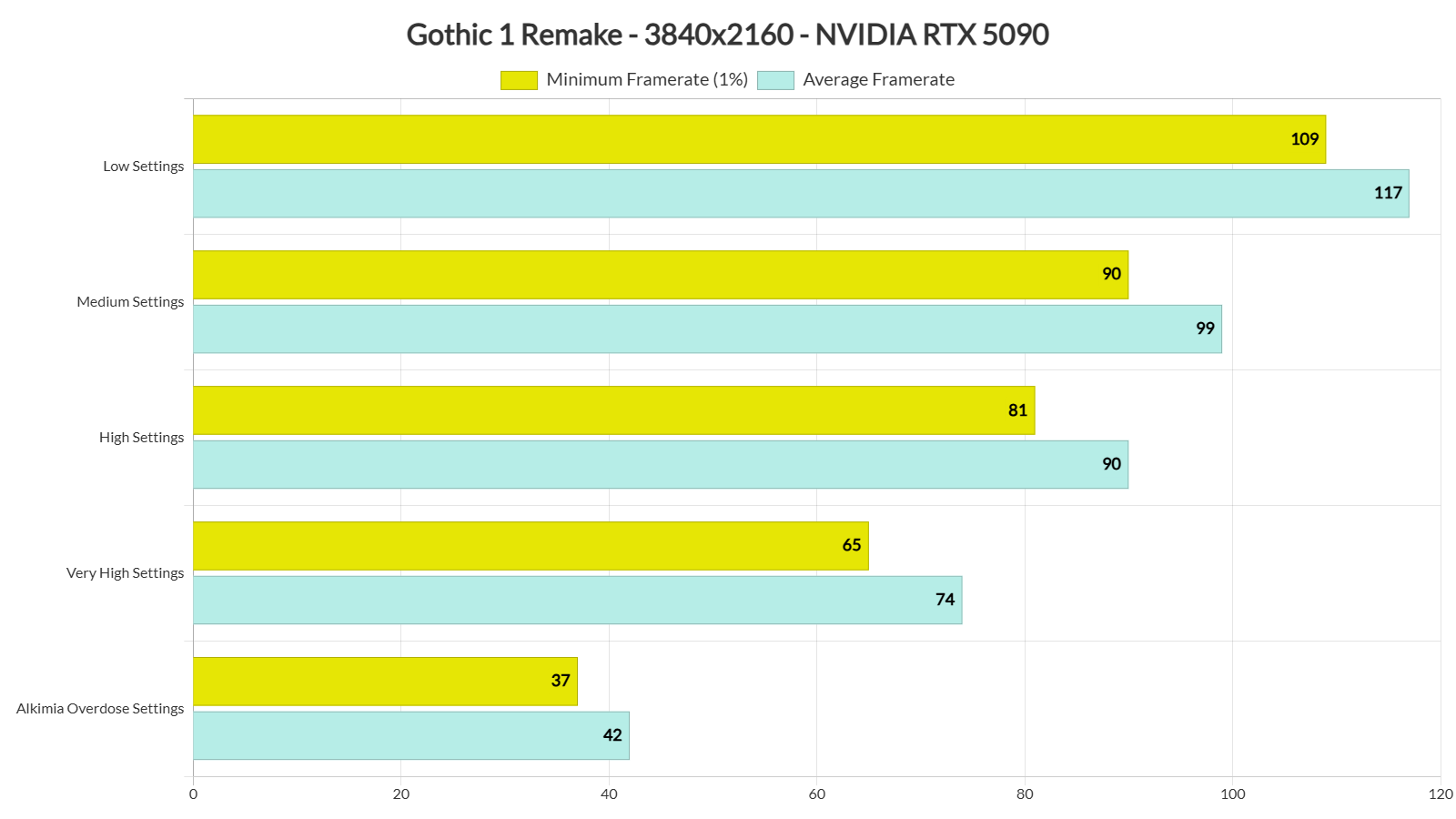
Finally, for Native 4K/Very High Settings, you will need an NVIDIA RTX 5090. This GPU can push a minimum of 65FPS and an average of 74FPS with those settings. So, even though the Very High Settings have Lumen, it is possible to run it with over 60FPS at Native 4K on Very High Settings.
It’s also worth noting that the game can scale well with its in-game graphics presets. At Native 4K with the Overdose Settings, I was getting a minimum of 37FPS and an average of 42FPS on the NVIDIA RTX 5090. With the Very High Settings, I was above 60FPS at all times. High Settings and Medium Settings offered a small performance boost. Finally, the Low Settings allowed me to get to a minimum of 109FPS and an average of 117FPS.
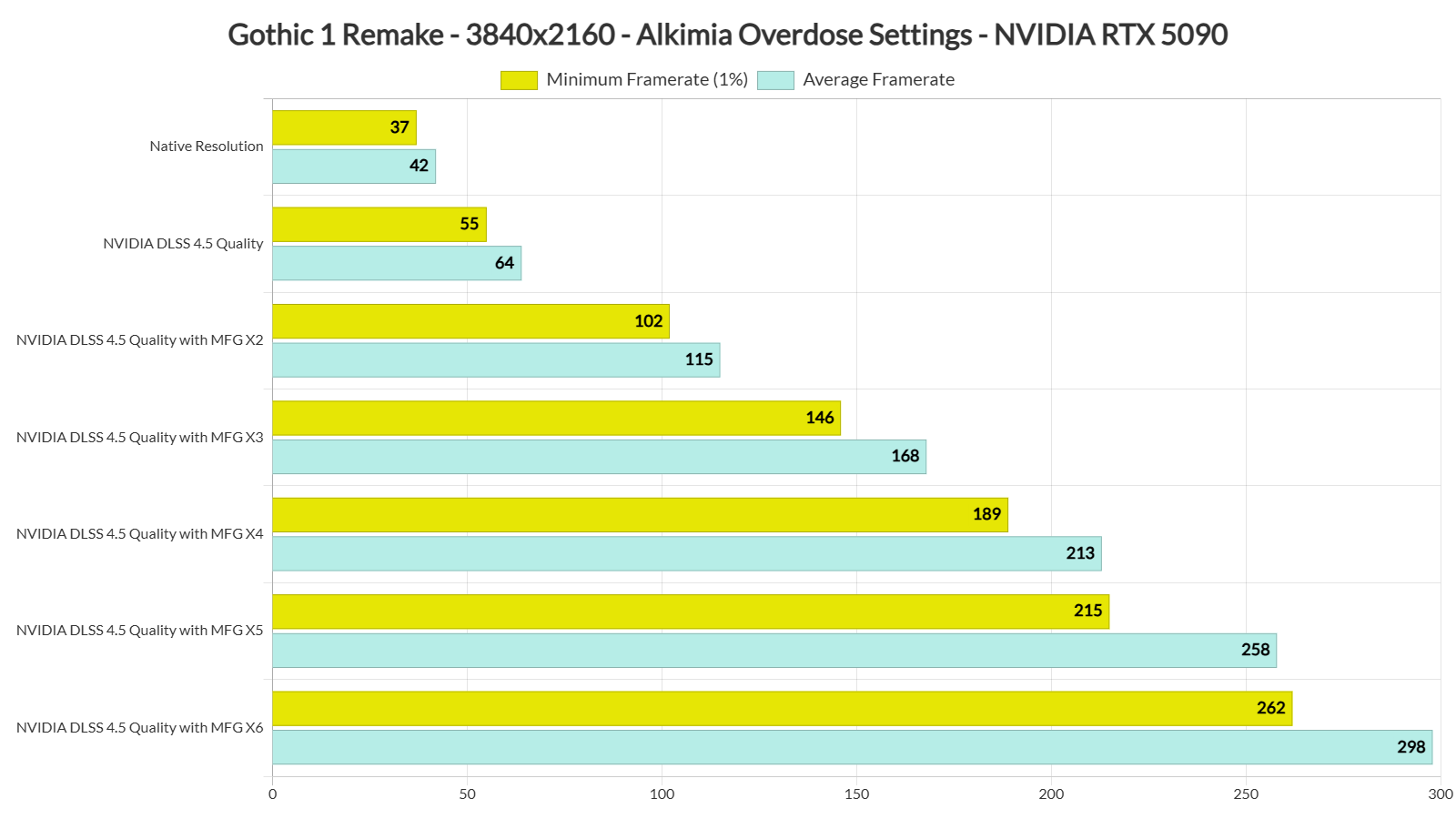
Gothic 1 Remake also supports NVIDIA DLSS 4.5. To test it, I benchmarked the same scene with the Alkimia Overdose Settings. At Native 4K, I was getting 37/42FPS on the NVIDIA RTX 5090. With DLSS 4.5 Quality, I was able to get to 55/64FPS. Then, with MFG X2, I got framerates over 100FPS.
The DLSS 4.5 MFG implementation appears to be solid in Gothic 1 Remake. Below you can find two screenshots that I took while I was moving the camera like crazy. As you can see, there are very minor visual issues. During normal gameplay, you won’t be moving the camera as I did, so you won’t notice any major visual issues. In other words, I strongly recommend using MFG to increase your performance smoothness.
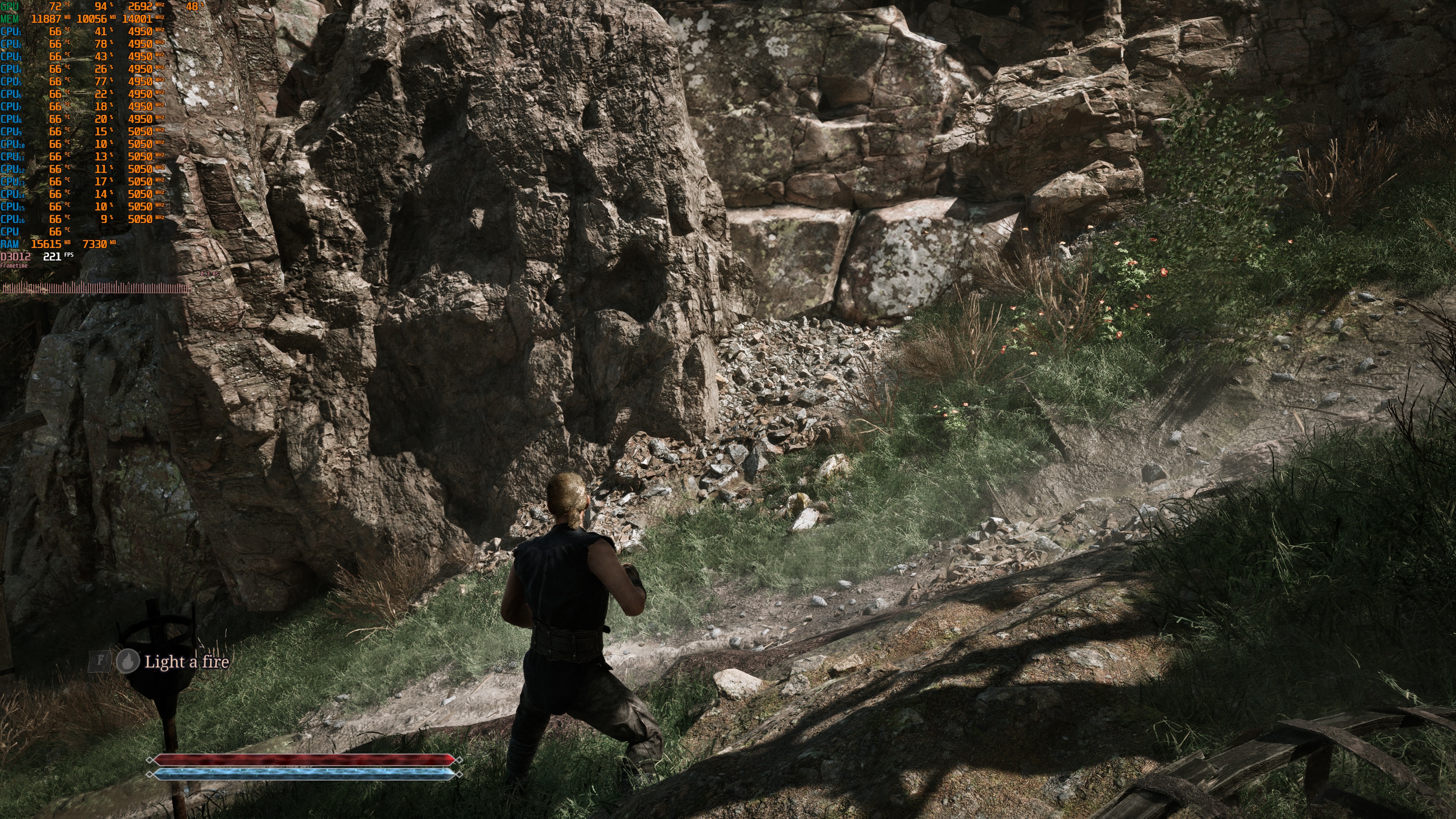
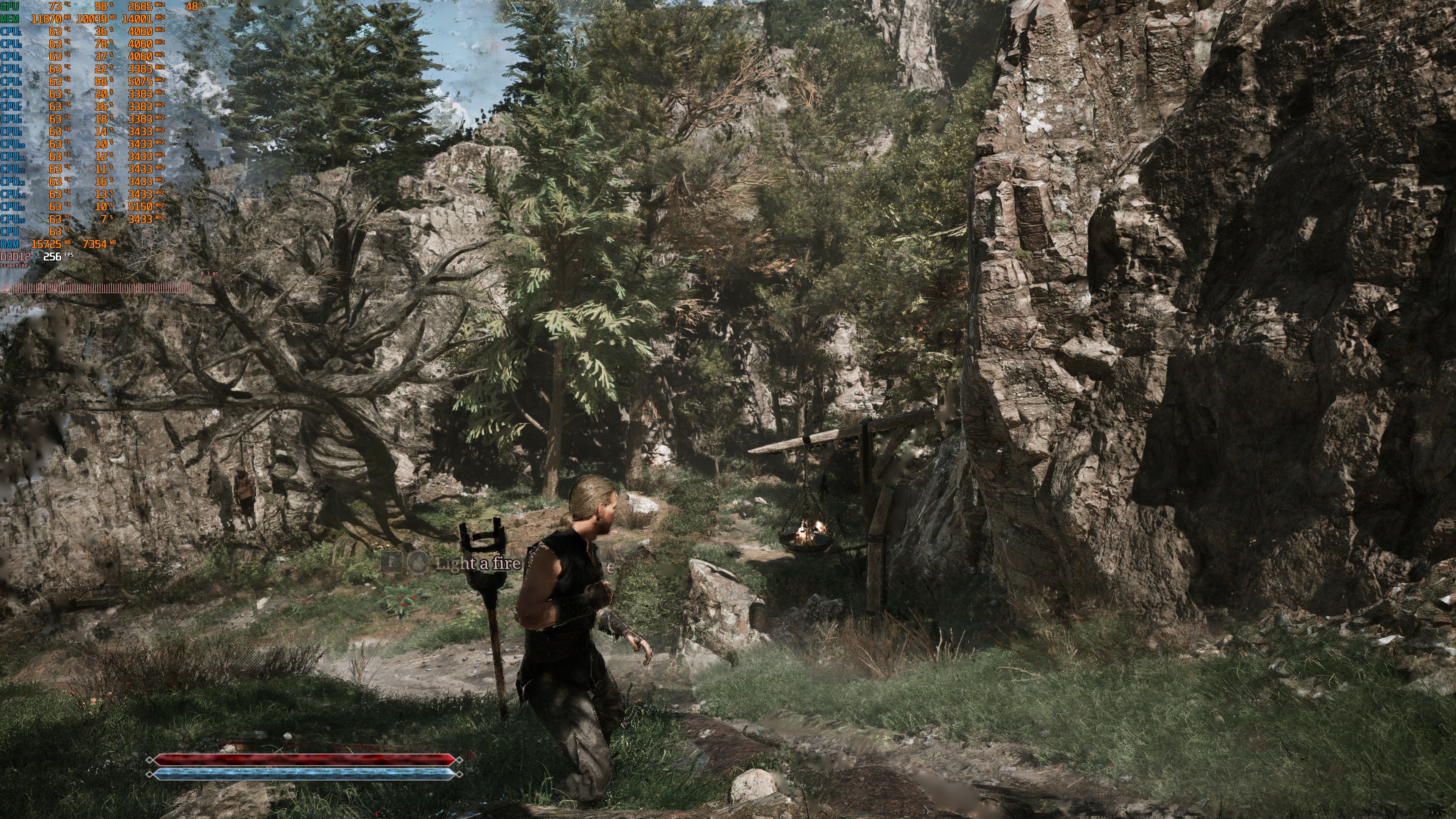
Graphics-wise, Gothic 1 Remake looks great. Like most double-A UE5 games, Gothic 1 Remake has gorgeous environments. And, like all the other double-A UE5 games, like RoboCop: Rogue City, it has mediocre character models. Animations are not that smooth and polished either. So, you should temper your expectations. This is nowhere close to what we’ve seen with Hellblade 2, Silent Hill f, Silent Hill 2 Remake, or Metal Gear Solid Delta: Snake Eater. At the same time, it looks miles better than what most double-A devs could achieve with Unreal Engine 4.
Before closing, I should note that there are some minor traversal stutters. They are not as annoying as those we’ve seen in Oblivion Remastered. However, those sensitive to them may notice them. The good news is that they don’t occur frequently. So, most of the time, your gaming experience will feel smooth.
All in all, Gothic 1 Remake can run smoothly on a wide range of PCs, provided you avoid its experimental settings. An AMD Radeon RX 6900XT and an NVIDIA RTX 3080 can offer a smooth experience at 1080p/Very High Settings if you have a G-Sync/FreeSync monitor. For gaming at native 1440p or 4K, you will need a powerful GPU. Or you can use one of the upscalers that are included. Compared to many other Unreal Engine 5 games, Gothic 1 Remake performs better. That should come as welcome news for fans who have been eagerly waiting to play it.
Enjoy!


John is the founder and Editor in Chief at DSOGaming. He is a PC gaming fan and highly supports the modding and indie communities. Before creating DSOGaming, John worked on numerous gaming websites. While he is a die-hard PC gamer, his gaming roots can be found on consoles. John loved – and still does – the 16-bit consoles, and considers SNES to be one of the best consoles. Still, the PC platform won him over consoles. That was mainly due to 3DFX and its iconic dedicated 3D accelerator graphics card, Voodoo 2. John has also written a higher degree thesis on the “The Evolution of PC graphics cards.”
Contact: Email